MetaTrader 4 and 5: the connection
Trader, Pro and Fleet plans.
MetaTrader gives other applications no read-only access to an account, so TakeJournal brings a small program that runs inside your terminal: a service in MetaTrader 5, which needs no chart, and an Expert Advisor in MetaTrader 4. It sends the deals of the account the terminal is logged into, its whole history first and then each new deal; the deposits and withdrawals go into the account’s ledger. It only reads: it places no order, and Algo Trading may stay off.
Add the connection
Section titled “Add the connection”Connections → Add connection, type MetaTrader 4/5, and a name (the PC or the VPS it runs on, say). The connection’s card offers Get a key: the key is shown once, with Copy the key, and a new key stops the one before. The card also has Download for MT5, Download for MT4 and Copy the address, the address MetaTrader is to allow.
Allow TakeJournal’s address
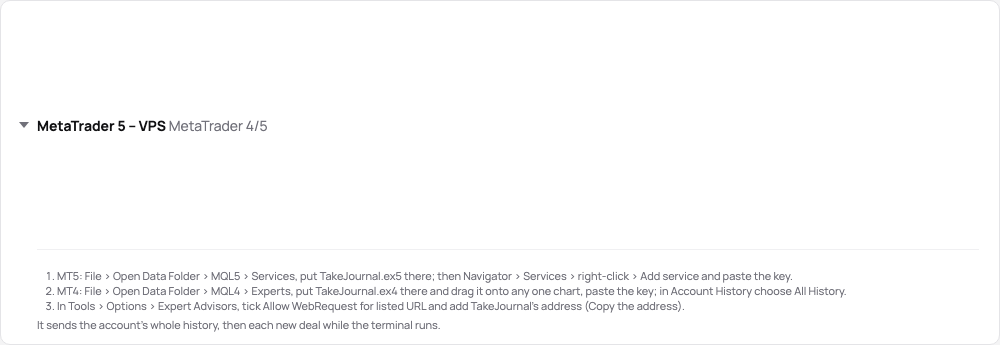
Section titled “Allow TakeJournal’s address”In MetaTrader: Tools → Options → Expert Advisors, tick Allow WebRequest for listed URL and add the address the
card copies (https://app.takejournal.com). Without it the program cannot send, and says so in the terminal’s journal.
MetaTrader 5: the service
Section titled “MetaTrader 5: the service”- File → Open Data Folder, then MQL5 → Services: put
TakeJournal.ex5there. - In the Navigator, under Services (refresh it when TakeJournal is not listed yet), right-click TakeJournal → Add service, paste the key into Key among its inputs and confirm.
- The service starts, and from then on it starts with the terminal. The Journal tab says “TakeJournal receives the deals of account …” once it is in touch.
MetaTrader 4: the Expert Advisor
Section titled “MetaTrader 4: the Expert Advisor”- File → Open Data Folder, then MQL4 → Experts: put
TakeJournal.ex4there and refresh the Navigator. - Drag TakeJournal from Expert Advisors onto any one chart (any symbol, any timeframe) and paste the key into Key among its inputs. It stays on that chart, after a restart too.
- In the Account History tab, right-click → All History: the Expert Advisor sends what that tab holds.
What it sends
Section titled “What it sends”- The account’s whole history the first time, in batches, then each new deal within seconds. A terminal switched to another account sends that account too; each is an account of the connection.
- Deals keyed by their ticket, in lots. The symbols become the journal’s forex, metal and CFD contracts with the
broker’s contract size, named as the imports name them (
EURUSD.m→EURUSD). The commission and the fee are the deal’s costs; the swap is on the closing deal. - Deposits, withdrawals, credits and charges into the account’s ledger.
- The account’s balance and equity with every batch, shown live on the account’s page; a program before version 1.2.0 does not send them: download it again and put it in place of the old one.
- The broker’s server time converted to UTC by the offset the terminal reports; the usual “New York close” servers by New York’s daylight saving.
- The rates of your trades for their charts (version 1.1.0): the program asks TakeJournal which trades still lack bars and sends the window around each. MetaTrader 5 builds second bars of bid and ask from the terminal’s ticks, so MFE and MAE come to the second; where the broker keeps no ticks that old, and always in MetaTrader 4, it sends MetaTrader’s 1-minute bid bars with their spread, and MFE and MAE come to the minute (Charts, MFE and MAE). The terminal keeps minute history only as far back as Max bars in chart (MetaTrader 5) or Max bars in history (MetaTrader 4) under Tools › Options › Charts reaches; an older trade gets no chart. A program of version 1.0.0 sends no rates: download the program again and put it in place of the old one.
- The terminal has to run, on your PC or a VPS. Keep it running with the program whenever you trade: your deals then reach the journal within seconds, and the alerts and Spotter see them as they happen. A deal made while it was off (on the phone, say) comes only when it runs again.
- Your open positions every five minutes (version 1.3.0), compared with your fills, so a close that never came through is found (A missing close); a program before version 1.3.0 does not send them: download it again and put it in place of the old one.
Related
Section titled “Related”MetaTrader and cTrader statements · Forex and CFDs · Brokers and imports
The AI answers from our guide: how TakeJournal works, imports, prop accounts, the plans.
Your question goes to Anthropic to be answered. We keep the conversation for 30 days to improve the guide, then delete it. No investment advice. Privacy policy