Share a day, a week, a month or a trade
Every plan.
Share on a day’s or a week’s page, and next to the month in the calendar, makes a public page with that period’s result: the net result, the number of trades, the share won, the profit factor, the best and the worst trade, and a bar for each trade of a day or each trading day of a week or a month. Anyone with the link can open it without signing in; posted on X, Discord or in a chat, it shows as a card with the result.
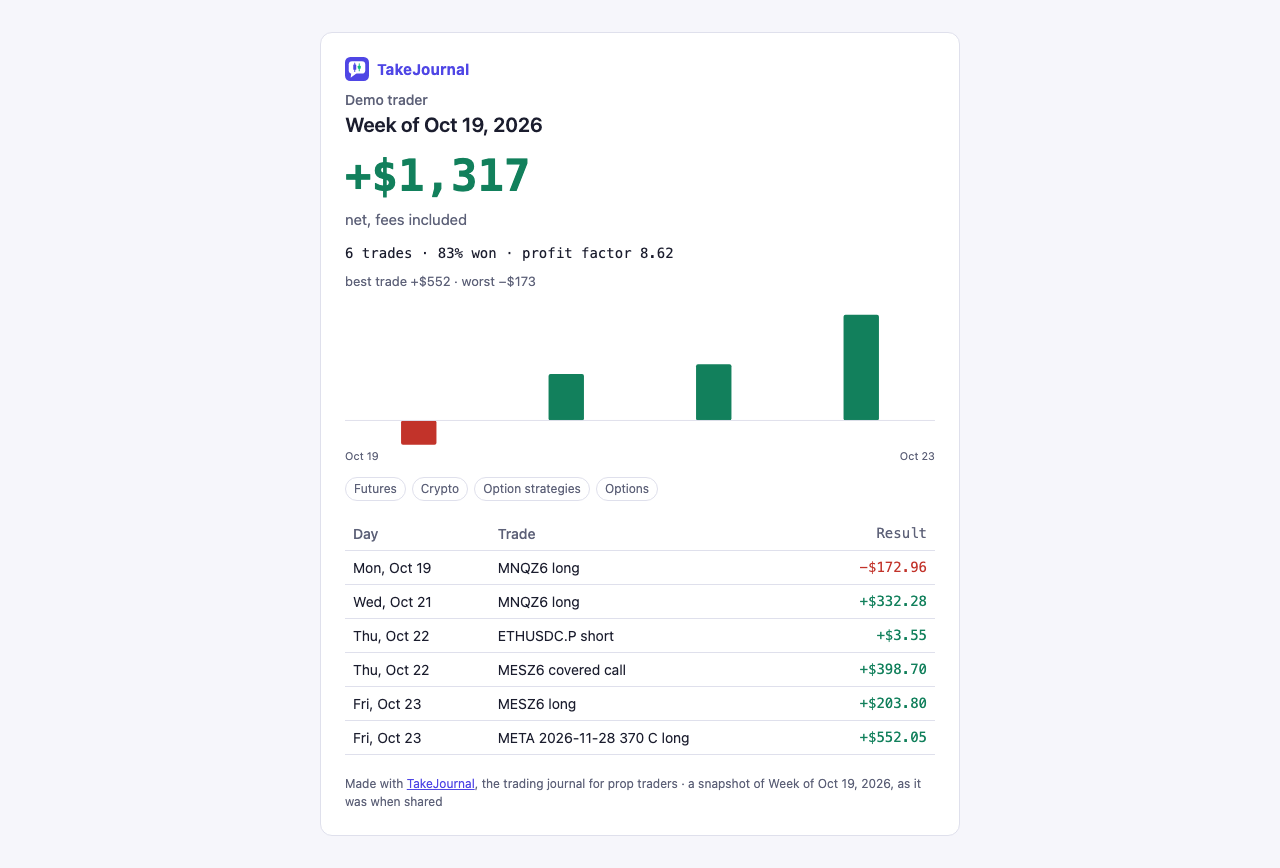
What it shows
Section titled “What it shows”- The accounts you choose. The dialog lists the accounts that traded in the period (within the account types chosen in the filter bar), ticked as the page has them: the filter’s accounts when it has some, else every account that traded, the one when only one did. Untick an account to leave it out; Every account of the day (of the week, of the month) ticks them all again. The Show position (master only or all accounts) is the page’s. The market, tag and strategy filters do not apply: the whole period is shared, so a result cannot be cut to its good trades.
- The unit you choose. Percent of the account is the net result against the start balances of the chosen accounts together, shown at once in its line (“+0.50% of $10,000”; the default when every chosen account has one). Money is the net result in the page’s currency, fees included. R counts each trade in multiples of its risk, the planned one or the account’s default risk; trades without a known risk are left out and the page says how many counted.
- The trades, if you list them. List the trades adds each trade’s time (a date for a week or a month), its symbol, its direction (a multi-leg trade by its shape) and its result, in the unit. Prices, sizes and notes are never shown.
- A name, if you give one. The page carries no name unless you type one in the dialog.
- A preview. Beside the choices the dialog shows the public page as the link will show it, and it changes with them: the unit, the trades listed or not, the name. On a phone it waits folded under the choices. Nothing is kept until Create link.
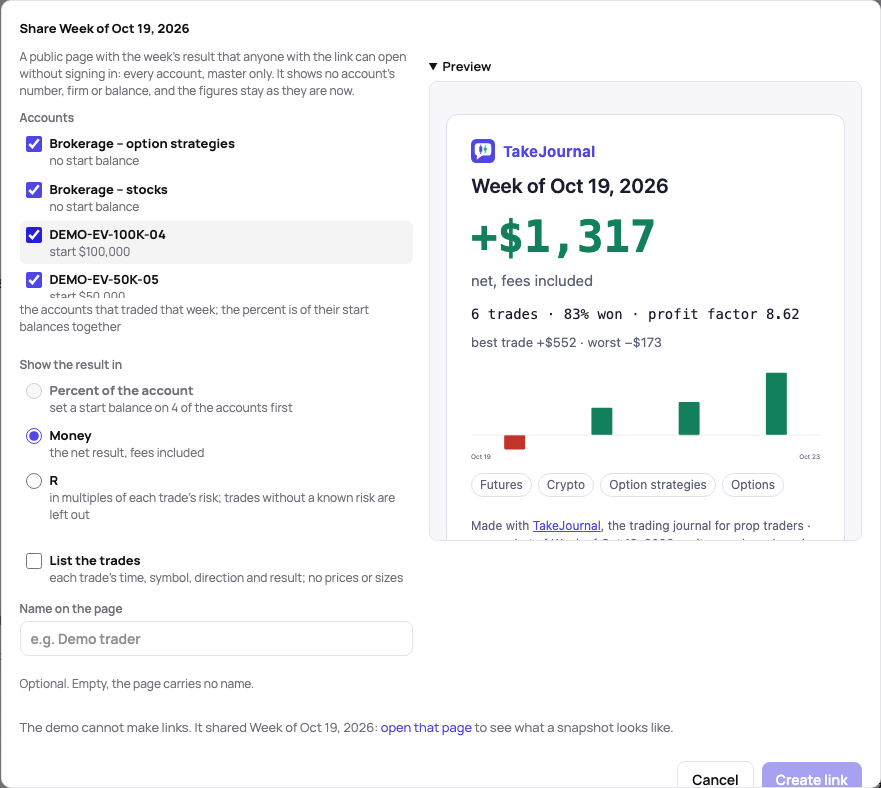
The page never shows an account’s number, its firm, its balance or your e-mail. The figures are frozen when you make the link: trades synced or edited later do not change it; share the period again for a new one. The page asks search engines not to index it.
Share one trade
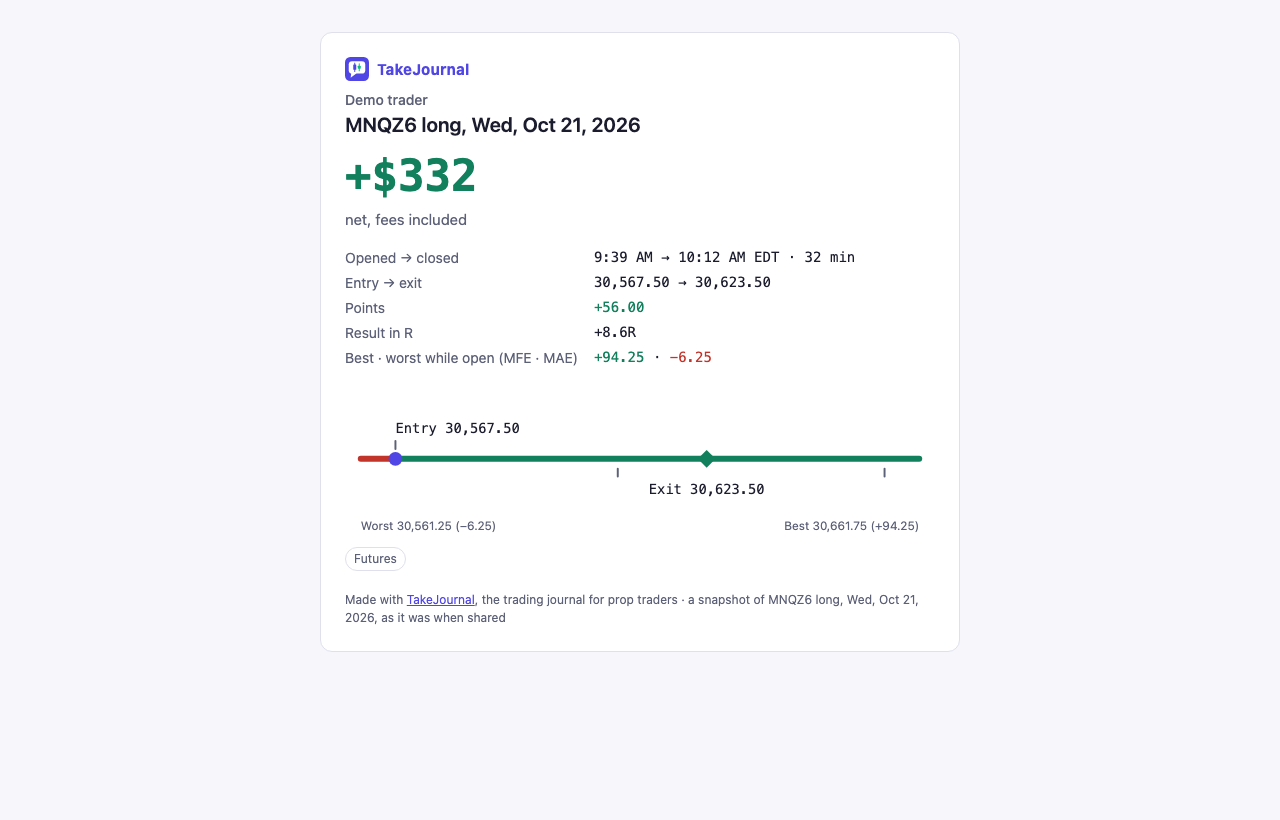
Section titled “Share one trade”Share on a trade’s page, next to its arrows, makes a public page of that one closed trade: its symbol and direction, the day, the result in the unit you choose, the times it opened and closed with how long it ran, the entry and exit prices, a future’s points, the result in R, and the best and the worst price while it was open (MFE · MAE) where they are known. A ruler draws the trade from its worst price to its best, with the entry, the exit and each fill’s price on it. On a decision traded on several accounts the result is the master’s, as its page shows it first.
Percent of the account is the result against that account’s start balance; R needs the trade’s stop or risk (or the account’s default risk); the dialog says why a unit cannot be chosen. The page shows no account, no size and no price chart: the exchanges’ prices may not be shown to others without a licence, so the ruler uses only the trade’s own numbers. An open trade is shared once it has closed.
Your links
Section titled “Your links”The dialog shows the link with Copy link and Open the page. Profile → Data → Shared snapshots lists every link you made, newest first, with how often each was opened. Revoke ends a link at once: its page then says the snapshot is not shared, and a revoked link cannot be brought back. You can make up to 50 links a day.
The demo makes no links: its dialog shows the choices and opens the week or the trade the demo shared.
Embed on a website
Section titled “Embed on a website”Embed next to a link in Profile → Data → Shared snapshots, and Embed on a website in the dialog once the link is made, gives the code that puts the link’s card on your blog, or on a page or forum that allows HTML: a frame of the card’s height, with Copy code. The card shows what the link shows, in the unit you chose, without the markets and the listed trades: the result and the figures with the bars of a day, a week or a month, or a trade’s facts and its ruler. Its foot says Journalled with TakeJournal and opens the full page in a new tab. An opening of the card counts as an opening of the link.
Revoke the link and the card is gone from every website at once: the frame then says the snapshot is not shared. Only this card can be shown in another site’s frame; the rest of TakeJournal refuses to be framed.
Related
Section titled “Related”The AI answers from our guide: how TakeJournal works, imports, prop accounts, the plans.
Your question goes to Anthropic to be answered. We keep the conversation for 30 days to improve the guide, then delete it. No investment advice. Privacy policy